

Online prices can be deceptively simple: “$49” on a checkout page, “£12.99” on a subscription, “¥6,800” on a marketplace listing. The moment you pay, currency conversion kicks in — and the number on your statement can drift from what you expected because of spreads, fees, and sometimes merchant‑led conversion that’s priced differently than your card network.
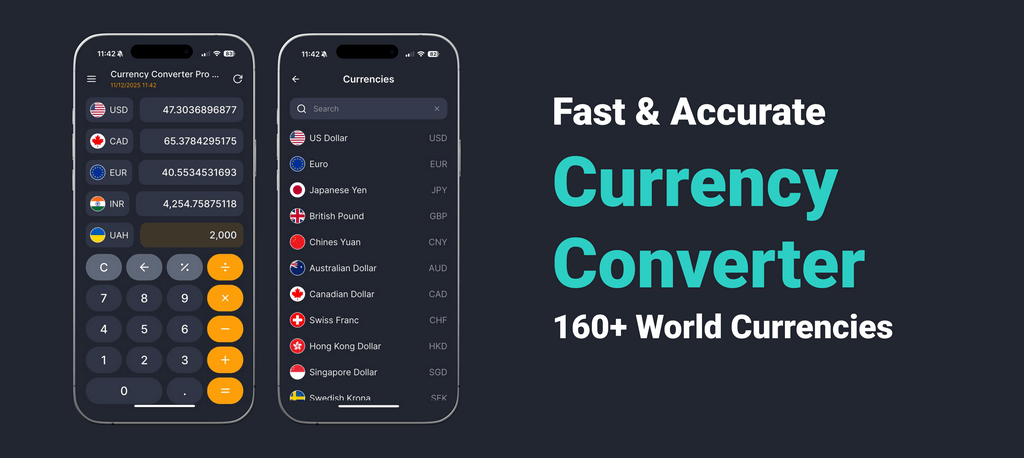
Use the demo converter in the header on this page for a real-time reference check, then treat it as a baseline: it helps you spot when a “helpful” conversion choice is actually expensive. If you do this often, it’s faster to keep the same reference check in your pocket — you can use the app for quick checks when you’re comparing totals on the go.
The three conversion paths behind one “Pay” button
When you buy from a foreign merchant, your final cost usually comes from one of three paths:
- Card network conversion (typical): the charge is processed in the merchant’s currency, and your card network + issuer converts it to your home currency.
- Issuer conversion with extras: similar to above, but your issuer may apply a foreign transaction fee or its own pricing.
- Merchant‑led conversion (often pricier): the merchant (or their payment processor) offers to convert for you — sometimes shown as a “pay in USD” option on a foreign site.
A useful habit: before you confirm, check the “currency line” in the final step (or the receipt email). If it’s not the currency you expected, you’re probably on a different conversion path.
Read the quote correctly (the 10‑second sanity check)
Most confusion online comes from mixing direction. Two simple checks prevent that:
1) Ask: “How many quote currency units per 1 base unit?”
For example, “JPY per 1 USD” means converting from USD should produce a larger number because yen amounts are commonly in thousands.
2) Do one sanity conversion with an easy amount.
Try 1 or 10 units of the base currency in the header converter. If the checkout math feels inverted, you’re likely looking at the inverse quote.
If you frequently shop in certain regions, bookmark the converters you use most so you can verify direction in seconds (see “Related pages” below).
Fees & spread: where the cost hides online
Two services can “convert” the same cart and still land at different totals because they price FX differently.
The three places the cost hides
1) Rate margin (spread) baked into the conversion
2) Fixed fees (payment processor fee, ATM operator fees for cash, some bank charges)
3) Percentage fees (foreign transaction fees, provider conversion fees)
Some sellers advertise “low fees” but widen the rate. Others show a cleaner reference‑like quote and add a visible fee. Neither is automatically “wrong” — it’s only a problem when you can’t compare the final total.
Timing matters more than people expect
Card payments often have two stages:
- Authorization (temporary hold)
- Settlement (final posted amount)
Between those stages, rates can move, and the final conversion can land slightly differently than the moment you clicked “Pay.” This is common with hotels, rentals, deposits, tips, and adjustments — it’s not necessarily an error.
Common conversions (example math only — not live rates)
Example only (not a live rate): assume 1 USD = 80 “units” (example) just to show the math shape.
| What you see online | Example rate | Approx. home-currency check |
|---|---|---|
| 10 (foreign currency) | 80 per 1 USD | 10 ÷ 80 ≈ 0.125 USD |
| 80 (foreign currency) | 80 per 1 USD | 80 ÷ 80 ≈ 1 USD |
| 800 (foreign currency) | 80 per 1 USD | 800 ÷ 80 ≈ 10 USD |
| 8,000 (foreign currency) | 80 per 1 USD | 8,000 ÷ 80 ≈ 100 USD |
The point isn’t the number — it’s the shape of the conversion. Use the header converter for a live reference baseline, then allow room for provider pricing and fees.
“Pay in USD” on a foreign website: convenience or markup?
On many international checkouts, you’ll see a choice like “Pay in USD” vs “Pay in local currency.” It looks like a safety feature. Sometimes it’s a hidden price premium.
Rule of thumb for online checkouts
- If you want transparent, comparable pricing, choose local currency and let your card network/issuer convert.
- If you choose “Pay in USD,” you may be accepting a merchant‑set conversion rate that’s harder to compare.
If you’re unsure, do a fast reference check:
1) convert the local total in the header converter,
2) compare it to the offered USD amount,
3) if the USD offer is meaningfully higher, choose local currency.
For faster reality checks during checkout, keep the app handy and compare the numbers without guessing.
Refunds, chargebacks, and “why did I get a different amount back?”
Refunds can surprise people in two ways:
- Rate differences: the refund may settle at a different time than the purchase.
- Partial refunds / adjustments: shipping, taxes, and discounts may be handled as separate line items.
A practical approach: - Save the original confirmation email and the final receipt. - Compare in the same currency first (merchant currency), then translate to home currency as a second step. - If something looks off, your issuer can explain which stage (merchant vs issuer) determined the conversion.
Cards vs transfers: when “not using a card” can be cheaper (or not)
If you’re paying an invoice, tuition, or a large service bill, you may consider a bank transfer or a specialized money transfer provider.
When transfers can help
- Large amounts where fixed card fees would be painful
- Situations where you want the receiver to get a predictable net amount
When cards are still fine
- Smaller purchases where speed and consumer protections matter
- Merchants that do not impose extra card fees
The best practice is boring but effective: compare the all‑in total once on a consistent amount, then stick to the method that wins for your use case.
A short checklist before you click “Pay”
- Confirm the currency you’re being charged in (local vs “converted to USD”).
- Do a quick direction check with 1 or 10 units to catch inverted quotes.
- Watch for fixed fees on small transactions — they hit hardest there.
- Expect holds for hotels/rentals (authorization ≠ final).
- Save receipts for refunds and adjustments.
- Use the header converter for a live reference baseline; for faster checks, use the app.
Currency symbol traps that cause expensive mistakes
A surprising number of “conversion errors” aren’t about FX at all — they’re about symbols and local formatting.
The same symbol can mean different currencies
- $ can mean USD, CAD, AUD, MXN, and others (the site usually clarifies in small text).
- ¥ can mean JPY or CNY depending on context and locale.
- kr can refer to several “krona/krone” currencies.
Before you convert, confirm the currency code (USD, CAD, AUD, JPY, CNY). If a checkout shows only a symbol, look for the code near the total, in the URL parameters, or in the final confirmation step.
Decimal commas and “thousand separators” can flip the meaning
Some locales write one thousand as 1.000 and one and a half as 1,5. If you’re used to the opposite, it’s easy to misread a price by 10× or 100×.
Practical habit: copy the total into your notes and rewrite it as a plain number you understand before converting (e.g., “1 299,00” → “1299.00”). Then do the conversion.
Taxes, VAT, and shipping: why FX is only half the story
Conversion is one part of “what you pay.” The other part is what’s included:
- Some stores show prices excluding VAT/sales tax until the last step.
- Cross‑border shipping can add duties, brokerage, or handling fees that are not FX — but they change the total you’re converting.
- Subscription platforms may show a monthly price, but bill annual plans, prorations, or trial conversions.
A good workflow:
1) convert the item subtotal to understand the product’s real price level,
2) convert the final total at the last step to understand what you’ll actually be charged.
Subscriptions and renewals: making recurring prices “feel real”
Subscriptions are where small FX differences become big over time.
A quick “12‑month reality check”
If a service is priced in a foreign currency, do two conversions: - convert the monthly price to your home currency for a “feels like” number - convert 12× the monthly price (or the annual plan, if offered) to see the full‑year exposure
Then add a buffer for provider pricing and fees. You’re not trying to predict the future rate; you’re trying to avoid surprises.
Why your renewal can differ from last month
Even if the sticker price is unchanged: - the conversion may settle at a slightly different time, - issuers can change FX fee policies, - merchants can re‑price in a different local currency if your location changed.
If you track recurring subscriptions, it’s worth using a consistent reference check each month so changes stand out quickly.
Multi-currency cards and “charge in USD”: when convenience helps
Some cards and wallets let you hold multiple currencies or “lock” a conversion. They can be useful, but the comparison still matters.
When multi-currency features can be helpful
- You’re paying the same foreign currency repeatedly (subscriptions, suppliers, travel bookings).
- You want to convert once when you’re comfortable with the rate, then spend later.
When it’s just another markup
If the “locked” conversion is priced with a wide margin, it may be less competitive than letting the network/issuer convert on purchase. The same rule applies: compare the offered home‑currency total to a reference conversion of the local total.
The practical “compare fairly” method (works for any provider)
If you want to compare two services (or two checkout options) without overthinking:
1) Pick one test amount that matches your real spend (for example, a typical monthly subscription or a common cart total). 2) Convert that same test amount through each option at nearly the same time. 3) Compare the final delivered home‑currency cost (not the advertised “rate”).
This method automatically captures spread + fees, and it keeps you from chasing tiny differences that don’t matter.
One more sanity check: does the magnitude make sense for daily life?
Even without any math, your brain can catch obvious errors:
- JPY totals often look “big” because everyday prices are in the thousands.
- Some currencies have larger nominal numbers, so a normal meal can be “50,000” in local terms.
- If you convert and the result looks off by a factor of 10, it’s usually a direction/symbol/format mistake.
Use the header converter to test a small amount and confirm you’re reading the price correctly before you pay.
Marketplaces, app stores, and “global” platforms: the currency may change behind the scenes
Large platforms sometimes show prices in a currency that feels local, but the processing currency can still differ depending on your account settings, card country, or merchant entity.
Two common patterns
- Display currency ≠ charge currency: the checkout shows one currency, but the charge posts in another (you’ll see it on the receipt or card notification).
- Local display with platform conversion: the platform converts for display and may convert for charge as well — effectively acting like a merchant‑led conversion path.
Practical advice: - Always check the receipt email or order confirmation for the “charged in” currency line. - If the platform offers a setting like “always pay in local currency,” use it consistently so you can compare month to month. - When comparing “local” vs “USD” options, treat it like any other conversion choice: convert the local total yourself and compare.
What to do when a site offers “guaranteed rate” or “price lock”
Sometimes a checkout promises a “locked” rate for a short window. This can be useful if you’re worried about volatility — but it can also be a higher‑margin conversion.
A clean way to decide: 1) Convert the local total with the header converter as a reference check. 2) Compare to the “locked” home‑currency amount. 3) If the locked amount is noticeably higher, you’re paying for convenience more than protection.
If you often buy across borders, using a consistent reference check — on page or in the app — keeps these decisions fast and rational.
Related pages
- If you’re converting UK prices, try the GBP to USD converter .
- For euro‑denominated subscriptions and travel purchases, use the EUR to USD converter .
- Shopping in China or reading marketplace listings? Check the USD to CNY converter .
- Buying from Brazil or comparing BRL totals? Use the USD to BRL converter .
- For Canada‑priced goods and invoices, open the USD to CAD converter .
- For Pakistan‑priced services or transfers, see the USD to PKR converter .
Sources
- Bank for International Settlements (BIS): FX market and rates background — baseline context on FX markets and how rates are formed.
- European Central Bank: exchange rates reference — authoritative reference-rate context (good for “baseline vs retail” understanding).
- Visa: dynamic currency conversion (DCC) overview — practical consumer guidance on exchange rates and conversion.
- Mastercard: currency conversion and rates — how card network conversions are presented and checked.
FAQ — online shopping currency conversion
Why is my card statement different from the checkout price?
Because the final total can include spread, issuer fees, and timing effects between authorization and settlement — especially for holds and adjusted totals.
Should I pay in USD or in the merchant’s local currency online?
Usually local currency is more transparent because your card network/issuer converts it. “Pay in USD” can be merchant‑priced conversion that’s harder to compare.
What’s the fastest way to sanity-check a foreign price?
Convert a small round amount (1 or 10 units) in the header converter to confirm direction, then convert the full total for a reference baseline.
Why do refunds come back as a different amount?
Refunds settle at a different time than the purchase and may be split across line items. Compare in the merchant currency first, then translate.
Are small payments affected more by fees?
Often yes. Fixed fees (or minimum fees) can dominate small purchases, making two “similar rates” land at very different totals.
What’s the difference between a reference rate and what I actually get?
A reference rate is a baseline for comparison. Real outcomes include provider pricing (spread), explicit fees, and timing.
Educational only, not financial advice.
Last updated: January 21, 2026