

PHP to USD — Convert Philippine Peso to US Dollar
The peso–dollar conversion shows up in very specific, very human moments: overseas remittances, freelancing payouts, subscriptions billed in USD, or budgeting a trip where prices flip between ₱ and $. If you searched php usd exchange rate, you likely want a number you can act on—and you also want to know why the “rate” on your app, your bank, and your transfer provider never looks identical.
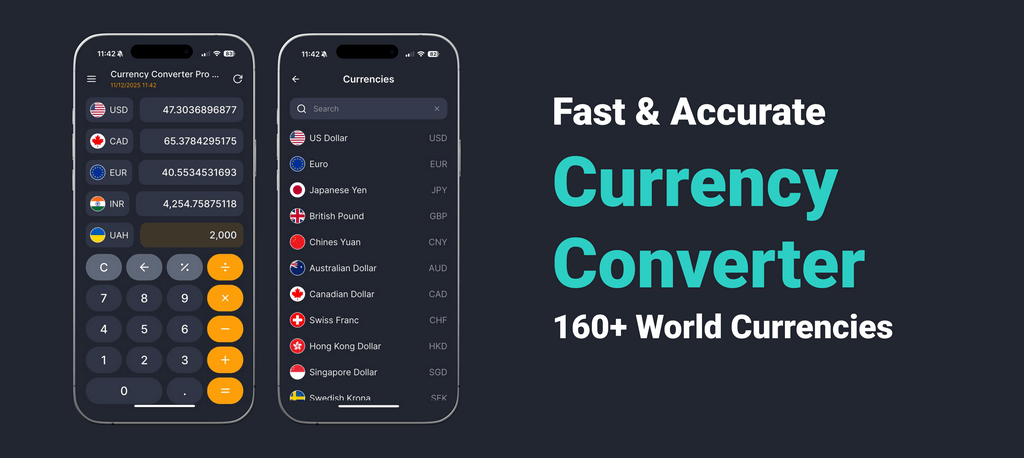
Use the real converter on this page (and the demo converter in the header) to see a live reference quote for Philippine Peso (PHP, ₱) → US Dollar (USD, $). Then use the practical sections below to estimate what you’ll actually receive after spread and fees. For repeat checks, keeping the app installed makes quick comparisons painless.
Live exchange rate: PHP → USD today
“Live” means the calculator shows a reference quote that updates. Your delivered USD can differ depending on whether you convert through a bank, card network, remittance provider, or cash exchange desk.
Quote direction: why PHP→USD looks “small”
PHP→USD is commonly shown as USD per 1 PHP (a small number). Converting is: - PHP × (USD per PHP) ≈ USD
If you see PHP per 1 USD, that’s the inverse quote used for USD→PHP.
Sanity check: converting pesos to dollars usually results in a smaller number.
How to convert Philippine peso to US dollars (in practice)
Step 1 — Enter your PHP amount and select USD (or use the header demo converter).
Step 2 — Identify the lane that matches your situation:
- Remittance / transfer: provider fees + embedded spread; delivery method matters
- Bank conversion: bank spread + possible service fees
- Card charge reconciliation: issuer pricing + possible foreign transaction fee
- Cash exchange: desk spreads vary widely by location and amount
Step 3 — Compare providers using one fixed peso test amount (for example ₱10,000) and compare the final USD delivered.
Pair-specific reality: subscription billed in USD, funded in PHP
If your subscription is charged in USD but your wallet/bank balance is in PHP, you may see: - a reference quote on the day you check, - an authorization amount, - and a final settled amount that’s slightly different. The difference is often spread + timing + fee policy—not a “mystery fee.”
Common conversions (example math only — not live rates)
Example only (not a live rate): assume 1 PHP = 0.018 USD (example reference).
| Amount (PHP) | Example rate | Approx. result (USD) |
|---|---|---|
| ₱100 | 0.018 USD per 1 PHP | $1.80 |
| ₱500 | 0.018 USD per 1 PHP | $9 |
| ₱1,000 | 0.018 USD per 1 PHP | $18 |
| ₱5,000 | 0.018 USD per 1 PHP | $90 |
| ₱10,000 | 0.018 USD per 1 PHP | $180 |
| ₱50,000 | 0.018 USD per 1 PHP | $900 |
A quick “peso sense” check
If you’re budgeting, pick one anchor (e.g., a monthly bill) and convert it regularly. It helps you notice when fees (not the market) are driving the difference.
Payout timing: why “same day” can still settle differently
Some services apply an FX quote at the moment you initiate the transfer, while others price it at processing/settlement time. If the rate moves—or if the provider changes its spread window—you may see a different delivered USD even without an explicit fee change. If timing matters, do one final check in the converter and capture the provider’s “net USD received” at checkout.
Fees & spread: why your result differs by provider
Providers can produce different USD outcomes for the same PHP amount because they layer costs differently:
- Spread: margin embedded in the conversion
- Fixed fees: can dominate smaller transfers
- Delivery method: cash pickup vs bank deposit can change pricing
- Card pricing: issuer margin + foreign transaction fee (sometimes)
- Timing buffers: some services widen pricing off-hours/weekends
Remittance tip: compare “net USD received”
The clean comparison is the net USD after all fees for the same PHP test amount. If a provider shows a “fee-free” offer, check whether the margin moved into the rate.
Small transfers vs large transfers: what changes
With small amounts, fixed fees can matter more than spread. With larger amounts, a slightly worse spread can become the bigger cost. Testing two amounts (e.g., ₱5,000 and ₱50,000) often reveals which cost dominates.
DCC prompt: “Pay in home currency or local currency?”
When you pay abroad: “Charge in PHP instead of local currency?”
If you’re traveling, some terminals offer to charge you in your home currency (PHP). That can create a merchant/terminal conversion path that’s harder to compare.
A practical default:
- pay in the local charge currency when possible, then let your card network and issuer handle conversion;
- treat “we’ll convert for you” options as a reason to double-check the all‑in cost.
For a quick sanity check, run the amount through the on-page converter first—and for frequent payments, use the app to spot-check totals fast.
Related pages
- USD basics and reference context: the US dollar (USD) currency hub.
- Reverse direction: USD to PHP .
- Other popular USD pairs for comparison:
FAQ — PHP to USD
What is the PHP to USD exchange rate today?
Use the converter on this page (or the header demo converter) to see a live reference quote. Your bank or provider may deliver a different result after spread and fees.
Do I multiply or divide to convert PHP to USD?
If you have USD per 1 PHP, multiply: PHP × (USD per PHP) ≈ USD. If you’re using PHP per 1 USD, that’s the inverse quote.
Why does my remittance provider show a different rate?
Remittance providers often embed spread and add fees, and pricing can vary by delivery method. Compare net USD received for the same PHP test amount.
Why does my card charge not match the converter?
Cards can include issuer margins and sometimes foreign transaction fees. Authorization vs settlement timing can also change the applied conversion.
What’s the fastest way to compare two services?
Pick one PHP test amount (like ₱10,000) and compare the final USD delivered after fees. Then test a larger amount to see whether spread dominates.
What do the symbols ₱ and $ mean here?
₱ is the Philippine peso symbol (PHP). $ is the US dollar symbol (USD). Always confirm the currency code to avoid confusion.
Sources
- Bangko Sentral ng Pilipinas (BSP): official site — Philippines monetary and PHP context.
- Federal Reserve: official site — USD reference materials.
- Visa: Dynamic Currency Conversion explained — DCC guidance and decision points.
- BIS: FX market statistics — FX market background and pricing.
Educational only, not financial advice.
Last updated: January 21, 2026